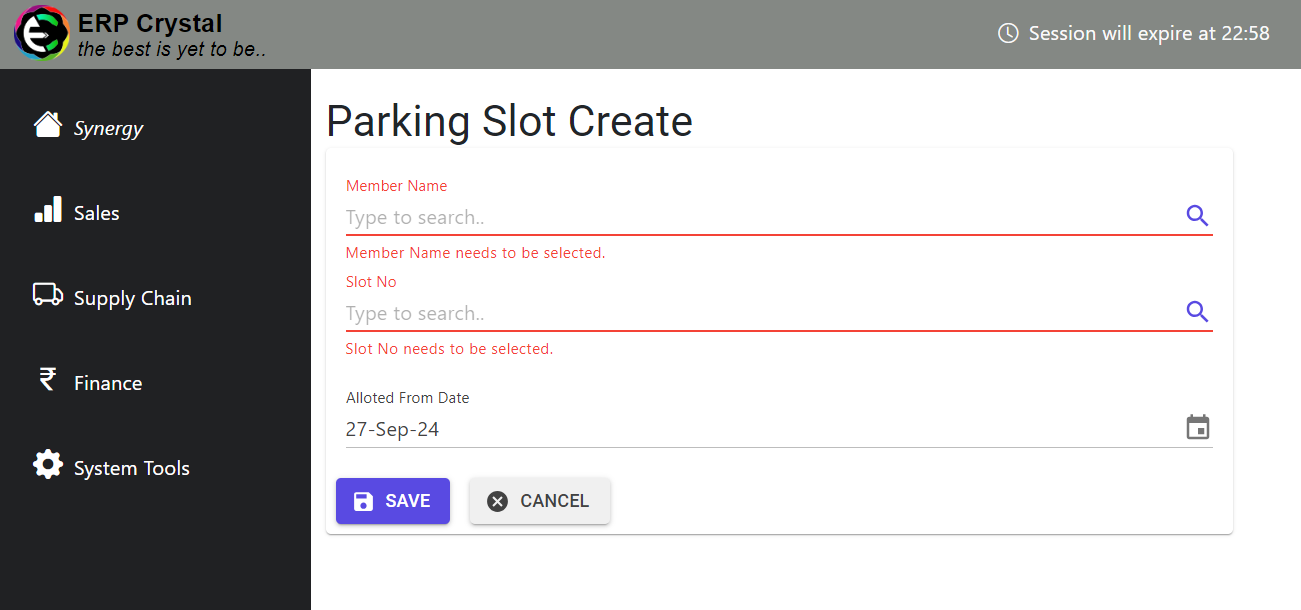
How to Create Records for Parking Slot/ Parking Allotment
Overview
This guide provides a quick step-by-step process for How to Create Records for Parking Slot/ Parking Allotment.
[Parking Slot] Step 1: Navigate to the System Tools Module
Click on Member —> Supplementary Details —> Parking Slot Master—> Create New
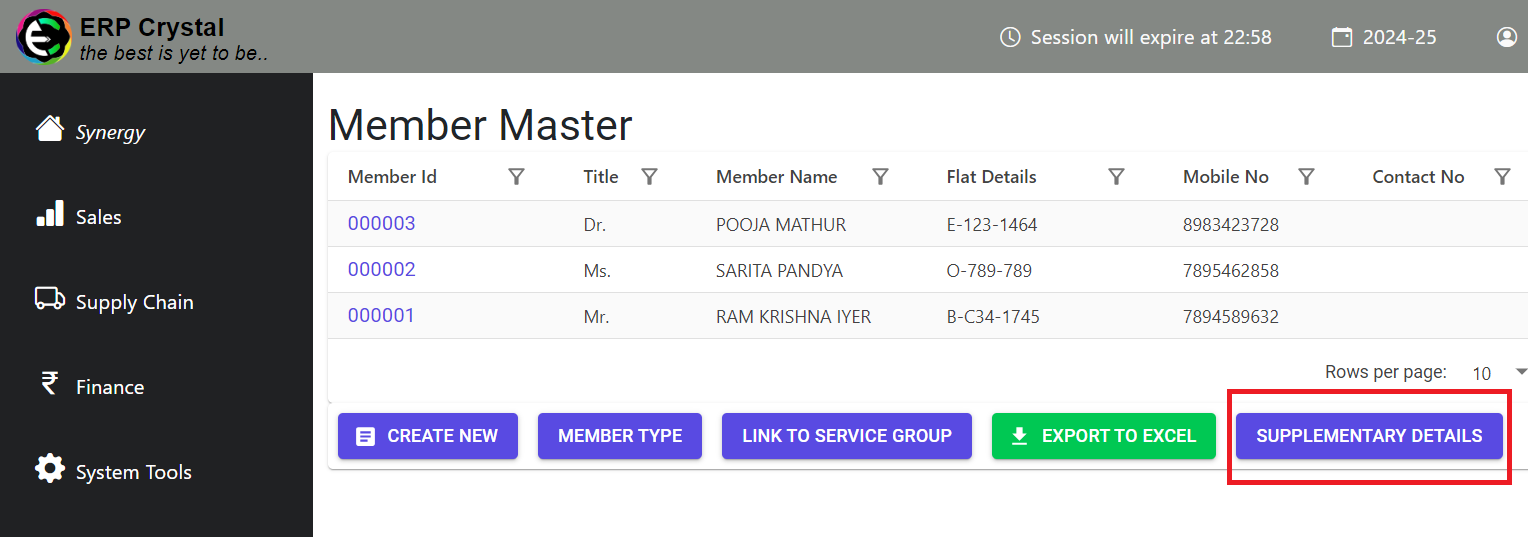
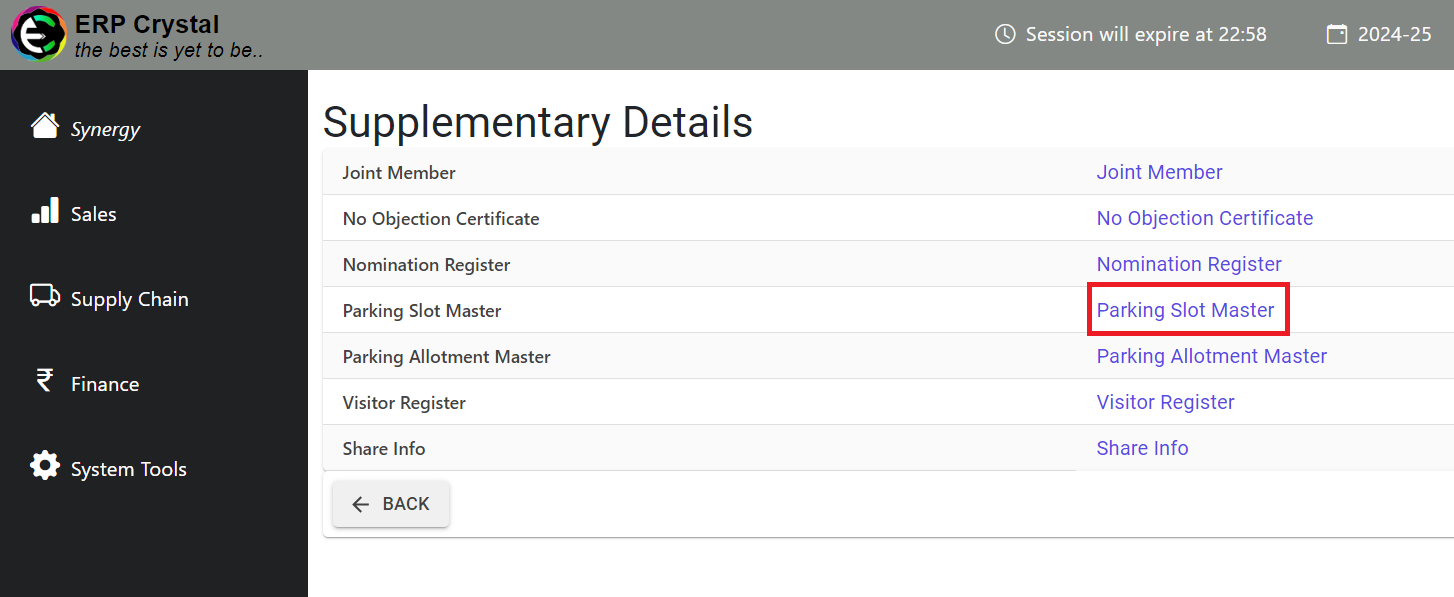
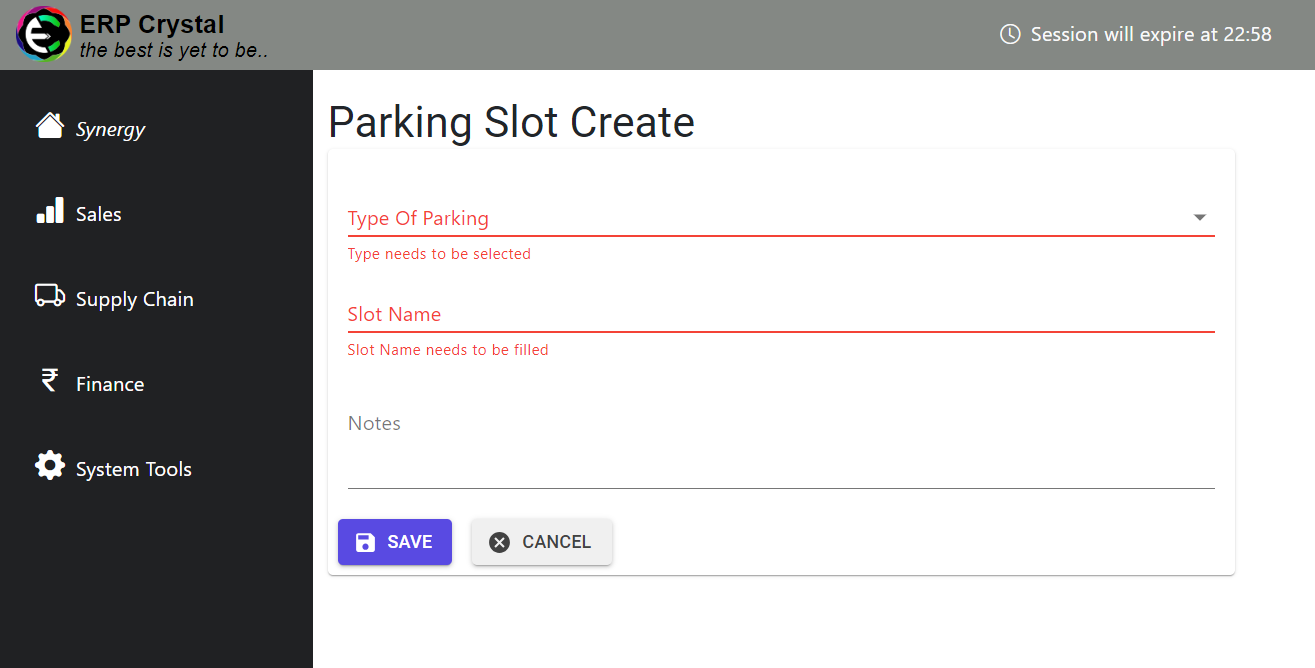
[Parking Slot] Step 2: Fill in the Details
Fill in the details and Click on Save to Create Records
[Parking Allotment] Step 1: Navigate to the System Tools Module
Click on Member —> Supplementary Details —> Parking Allotment Master—> Create New
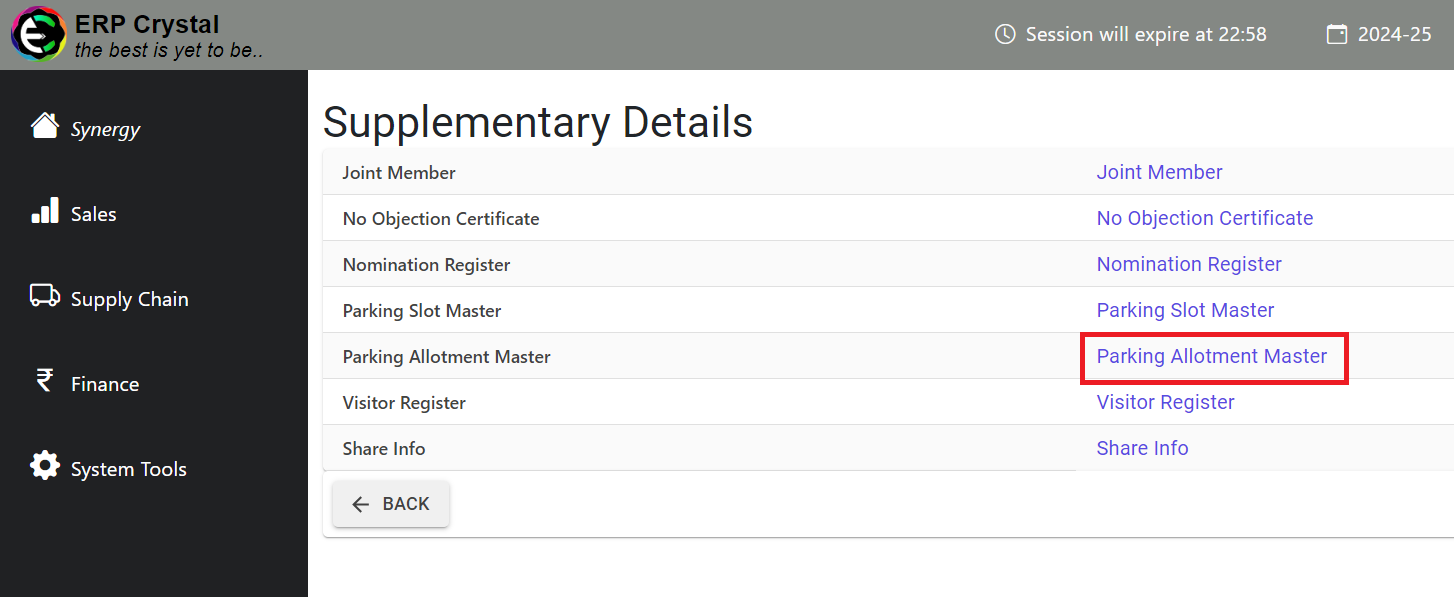
[Parking Allotment] Step 2: Fill in the Details
Fill in the details and Click on Save to Create Records