BSIE Master
BSIE Master (Balance Sheet & Income Expenditure)
ℹ️
⚡ Quick Start: Creating a Group
- Access: Navigate to System Tools > BSIE Master.
- Classify: Decide if the group belongs to the Balance Sheet or Income & Expenditure.
- Analyze: Further classify as Asset, Liability, Income, or Expense.
- Link: Once created, these groups become available in the Account Master dropdown.
🗺️ The Connection: BSIE to Ledger
graph TD
    BSIE[BSIE Group: Repairs & Maint] --> A1[Ledger: Lift Repairs]
    BSIE --> A2[Ledger: Pump Repairs]
    BSIE --> A3[Ledger: Civil Work]

    A1 --> Reports[Financial Statements]
    A2 --> Reports
    A3 --> Reports

    style BSIE fill:#f9f,stroke:#333,stroke-width:2px
1. Introduction 📝
The BSIE Master provides the “Heading” structure for society accounting. While the Account Master handles individual transactions, the BSIE groups them for management and audit reviews.
2. Usage in Transactions 🔄
While not used directly in daily entry (Vouchers/Invoices), BSIE is the foundation for:
- 📂 Account Creation: Every new account in the Account Master must be assigned a BSIE group.
- 📊 Financial Dashboard: The system uses BSIE classifications to show real-time Income vs. Expenditure graphs.
3. Related Reports 📊
- 🏛️ Balance Sheet: Groups assets and liabilities based on the BSIE flags.
- 📋 Income & Expenditure Statement: Summarizes revenue and costs into the categories defined here.
- 📉 Trial Balance: Summarizes ledger balances under their parent BSIE groups.
4. Key Fields Breakdown 🔍
- Group Name: The heading as it will appear on the Balance Sheet (e.g., “Cash & Bank Balances”).
- Classify As: Primary flag (Balance Sheet or Income Expenditure).
- Type: Secondary flag (Asset / Liability / Income / Expense).
5. Interface Walkthrough 🔄
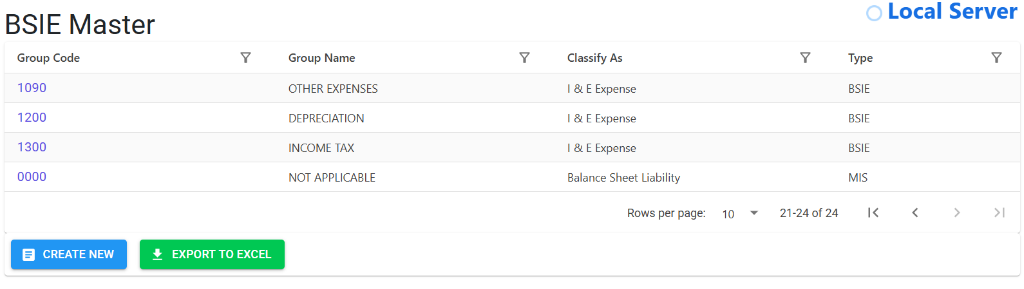
Browse BSIE Master
The Index Page displays the complete structure of your society’s financial hierarchy.
- Hierarchy Snapshot: View Group Codes, Classification (I&E or Balance Sheet), and Type at a glance.
- Navigation: Easily navigate through pages of groups using the pagination controls at the bottom.
- Data Portability: Use the Export to Excel button to download the entire chart of groups for auditor review.
View Group Details
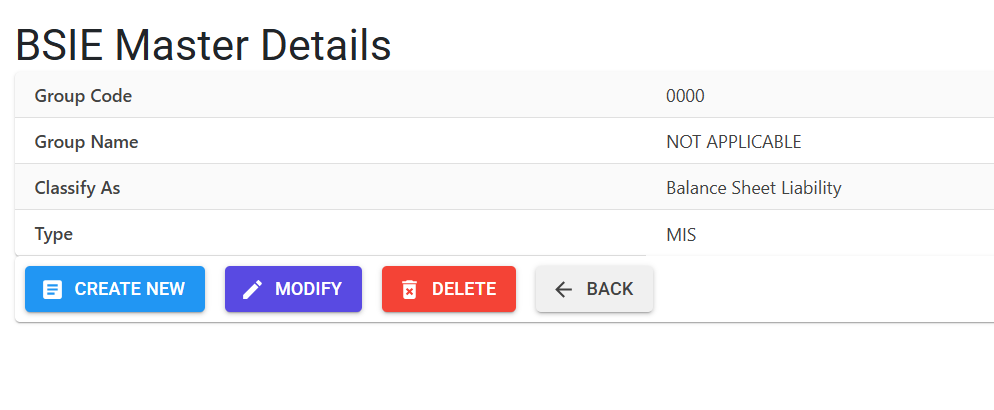
Clicking on a Group Name opens the Details View for precise management.
- Group Definition: View the exact classification and type assigned to the group.
- Management Tools: Use Modify to update group names or classifications, and Delete to remove unused headers.
- Workflow: Return to the full list instantly using the Back button.
6. Best Practices / Tips 💡
ℹ️
- Follow Statutory norms: Ensure your BSIE groups align with the Model Bye-laws of Housing Societies for easier auditing.
- Maintain Consistency: Avoid creating duplicate groups with similar names (e.g., “Utilities” vs “Utility Costs”).
- Audit Review: Show your BSIE structure to your society auditor during initial setup to ensure long-term reporting accuracy.
- Export to Excel: Use the Export To Excel tool regularly to review your hierarchy and ensure no accounts are misclassified.