How to Create Sales Invoice
Overview
This guide provides a quick step-by-step process for creating a Sales Invoice.
Step 1: Navigate to the Sales Module
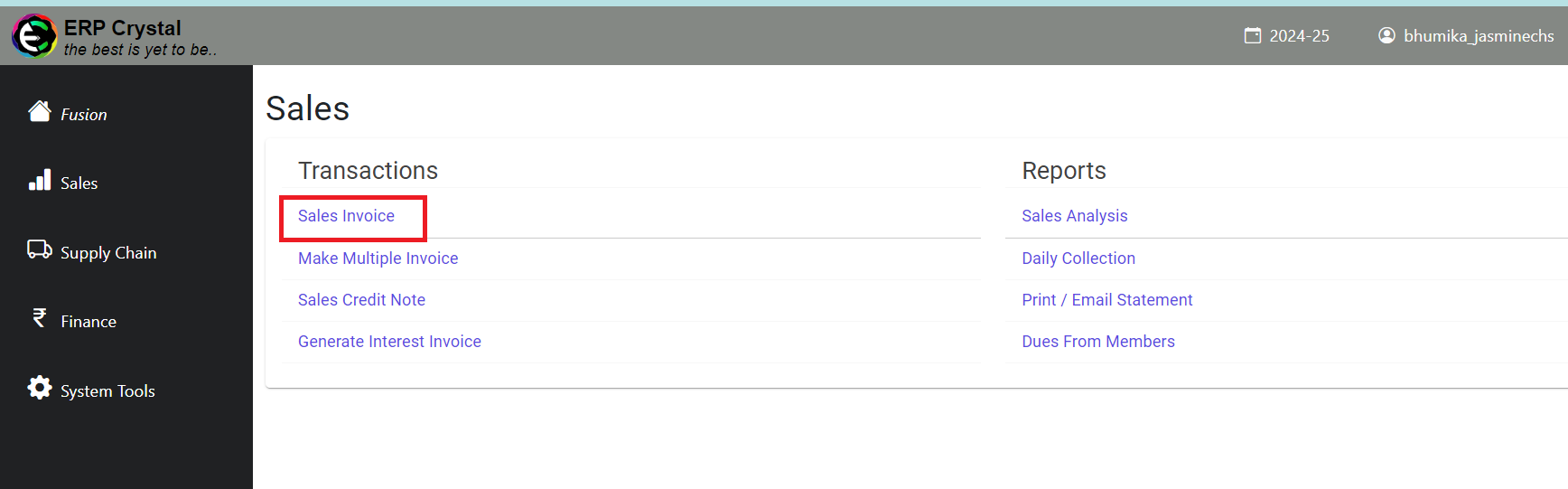
Click on Sales —> Sales Invoice—>Create New to start a new invoice.
Step 2: Fill in the Details
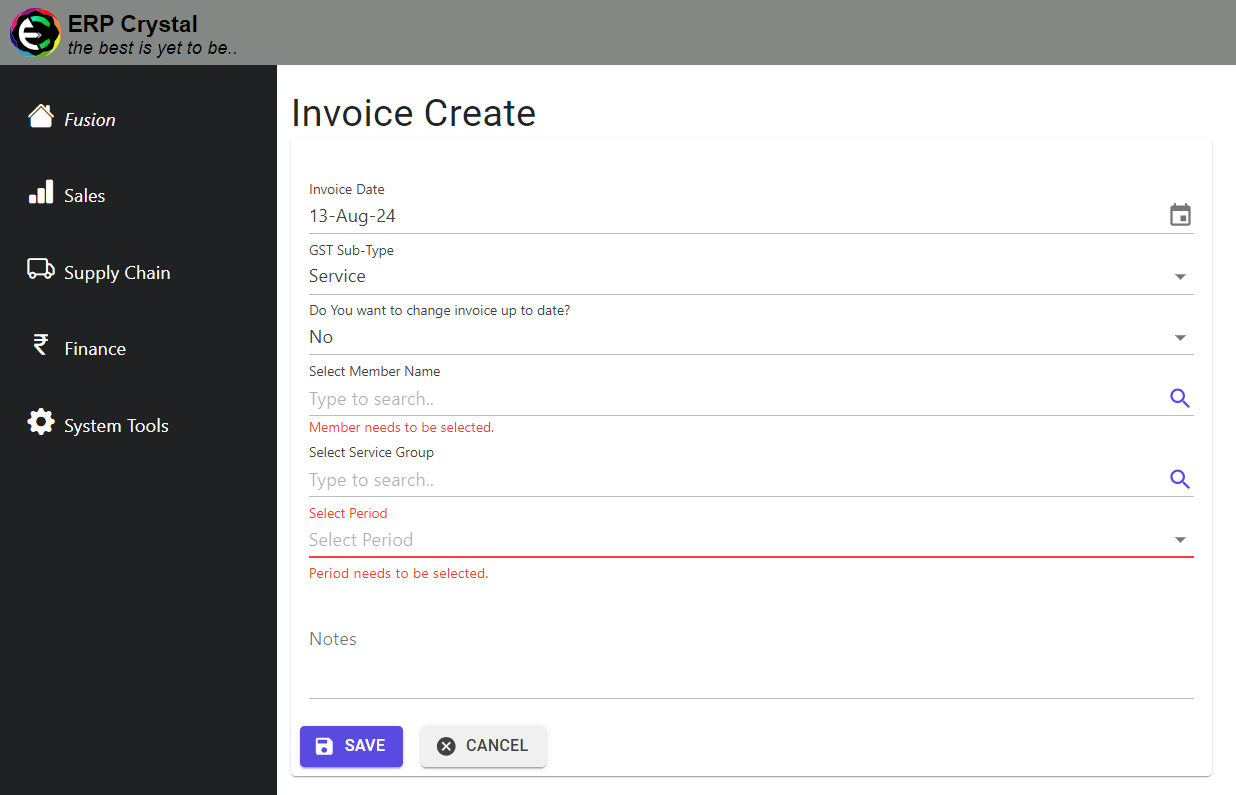
Make sure to complete the following:
- Verify Member Status: Check that the member is active and not suspended.
- Service Group Selection: Choose the appropriate service group according to the GST sub-type and ensure the service amount is greater than zero.
Step 3: Save Your Invoice
- Click on Save to generate the invoice.
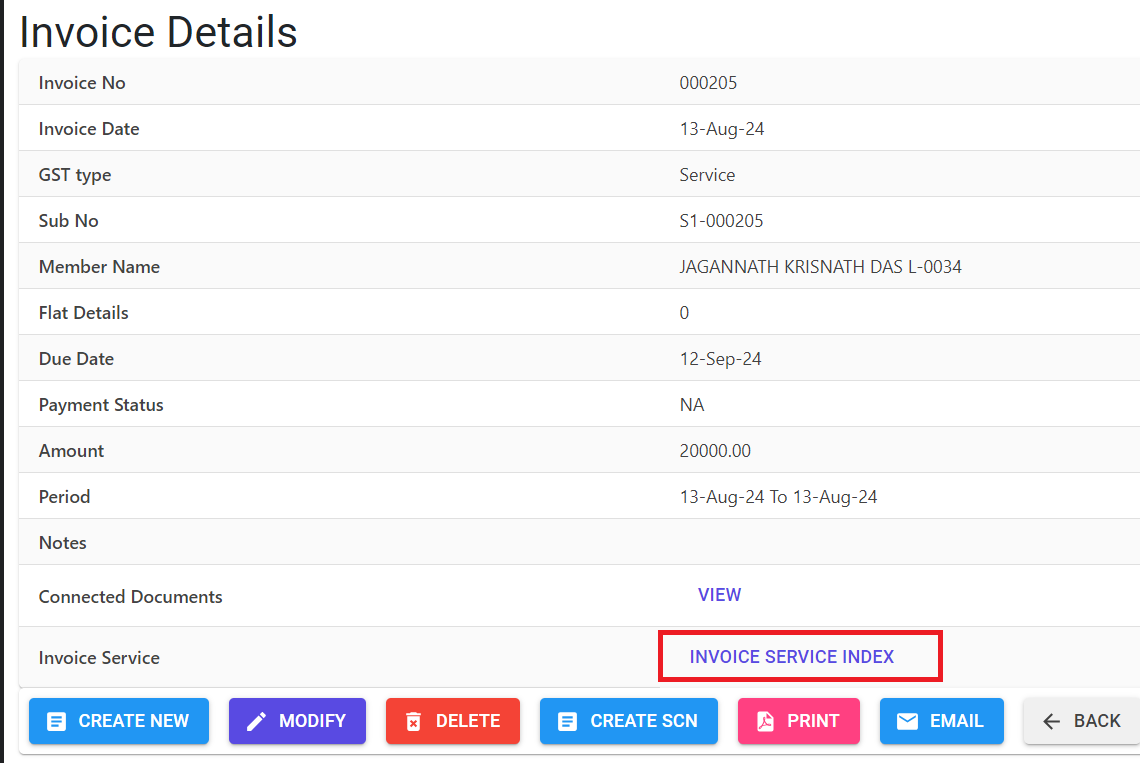
- You will be redirected to the invoice details page where you can:
- View and manage additional invoice information.
- Click on Invoice Service Index to access detailed line-level information.